Descriptive alt text for image 3 - This image shows important visual content that enhances the user experience and provides context for the surrounding text.

admin

3. Terminal

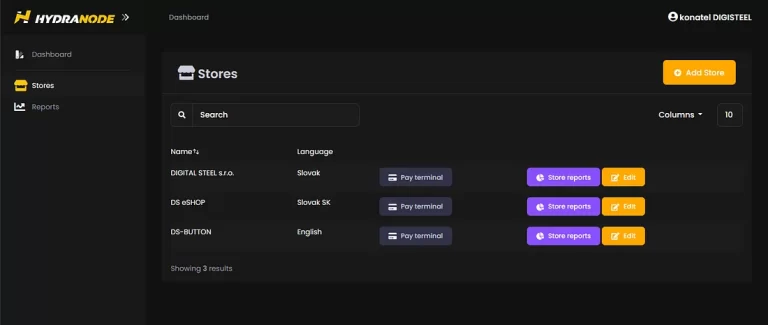
So we’ve already signed up at  You have a TERMINAL, or you can make a new one by clicking on the “ADD STORE” button in the “Stores” section The TERMINAL , whose link is in the “Pay terminal” button and…

4. Terminal — LNURL

So, a quick recap.. The operator asked for the name of my TERMINAL and told me to wait… abraka-dabraka.. in less than an hour I got a message from the operator that it’s done… 😀 Let’s try… in the “Stores”…

5. Props — Preparation for clearing

Now let’s clarify “Two-Factor Authentication” or also “2FA”. You can read heaps of technical crap about it on the web… IT non-professional is looking at it… and doesn’t understand… Well, HYDRA is supposed to serve IT non-professionals! 😀 Because the…

6. Payout

so we’re technically ready, followed by collection. Here you really need to remember that HYDRA is a CUSTODIAL service, but it is not a BANK that manages your deposits for you. This means that in your own interest, you need…

Reviewed by Digital Steel Editorial Team Editorial Review & Fact-Checking

References

  1. Wikipedia contributors. (2024). "Digital Steel." Retrieved from https://en.wikipedia.org/wiki/Digital_Steel
  2. Google. (2024). "Search results for Digital Steel." Retrieved from https://www.google.com/search?q=Digital+Steel
  3. YouTube. (2024). "Video content about Digital Steel." Retrieved from https://www.youtube.com/results?search_query=Digital+Steel